hal0 can give your platform a persistent memory — a store of facts that both
the operator surfaces and the bundled agent can write to and recall from. It’s a
deliberate, gated subsystem behind a single flag: powerful when it’s on, and
completely absent when it’s off. A fresh install turns it on for you; it stays
a conscious, revertible choice rather than something that silently accumulates
data on an existing box.
The memory subsystem is an engine-neutral layer behind two surfaces: the
/api/memory/* REST routes (which the dashboard’s Memory view uses) and the
/mcp/memory MCP server (which agents and external tools use). Both speak to the
same provider, so a fact written by an agent over MCP is the same fact the
dashboard shows.
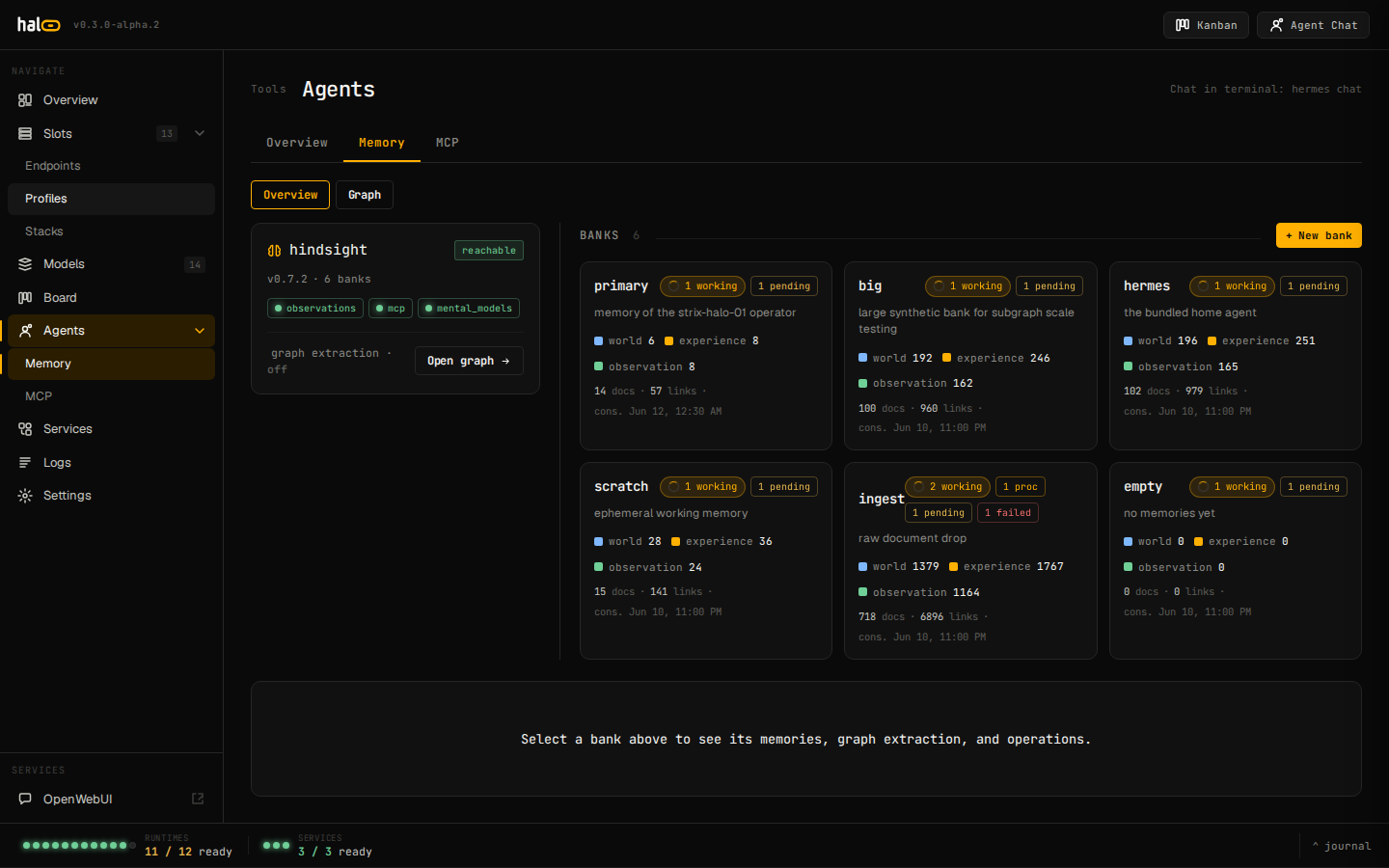
Memory view in the hal0 dashboard
The engine is Hindsight — a memory service that powers the shared operator
and agent “brain.” (Cognee, the prior engine, was fully removed in
v0.8.0-beta.3; hal0 memory migrate remains for boxes still carrying a
Cognee-era store.) When configured, hal0 builds a Hindsight client and wraps
it with a reranker so recall surfaces the most relevant facts. If the
Hindsight daemon is unavailable at boot, hal0 degrades to an in-memory
PgVector fallback rather than failing — the subsystem stays usable, but that
fallback is volatile (writes don’t survive a restart) and exists to keep the
tools answering, not as a durable substitute.
This is the most important thing to know: hal0 only constructs a memory
provider when HAL0_MEMORY_ENABLED=1 is set in the environment. When it
isn’t:
No memory provider is built.
Every downstream caller degrades to a no-op or a clean error — the
/api/memory/* routes, the /mcp/memory server, the agent’s memory provider,
and the per-agent memory stats all handle the absent provider gracefully.
The dashboard hides the Memory navigation.
Flipping the flag is the entire toggle — no code change required either way.
The one-line installer writes HAL0_MEMORY_ENABLED=1 into /etc/hal0/api.env
and stands up the local Hindsight daemon for you, so a fresh install has
memory on out of the box; the underlying default (a box with no api.env
entry at all — a manual/source setup, or one that predates the flip) is off.
An upgrade never rewrites an existing api.env, so a box that was installed
before memory shipped on by default, or that had the flag removed by hand,
stays off until you set it yourself. Either way it’s a conscious, revertible
choice, not something that quietly starts accumulating data you didn’t ask
for.
When enabled, memory becomes the shared brain that ties the platform together:
Hermes's durable memory, by default
Since v0.8.1-beta.1, provisioning a fresh Hermes wires it straight to this
subsystem (memory.provider=hal0-memory) with no manual config: a
private:hermes bank for its own facts and a shared bank every agent on
the host can read, both backed by Hindsight via the hal0-api REST front
door. Reads union both banks; recalled context is injected automatically
every turn, and the agent can also call hal0_memory_search /
hal0_memory_recall / hal0_memory_add directly (shared=true writes
the shared bank).
Operator memory
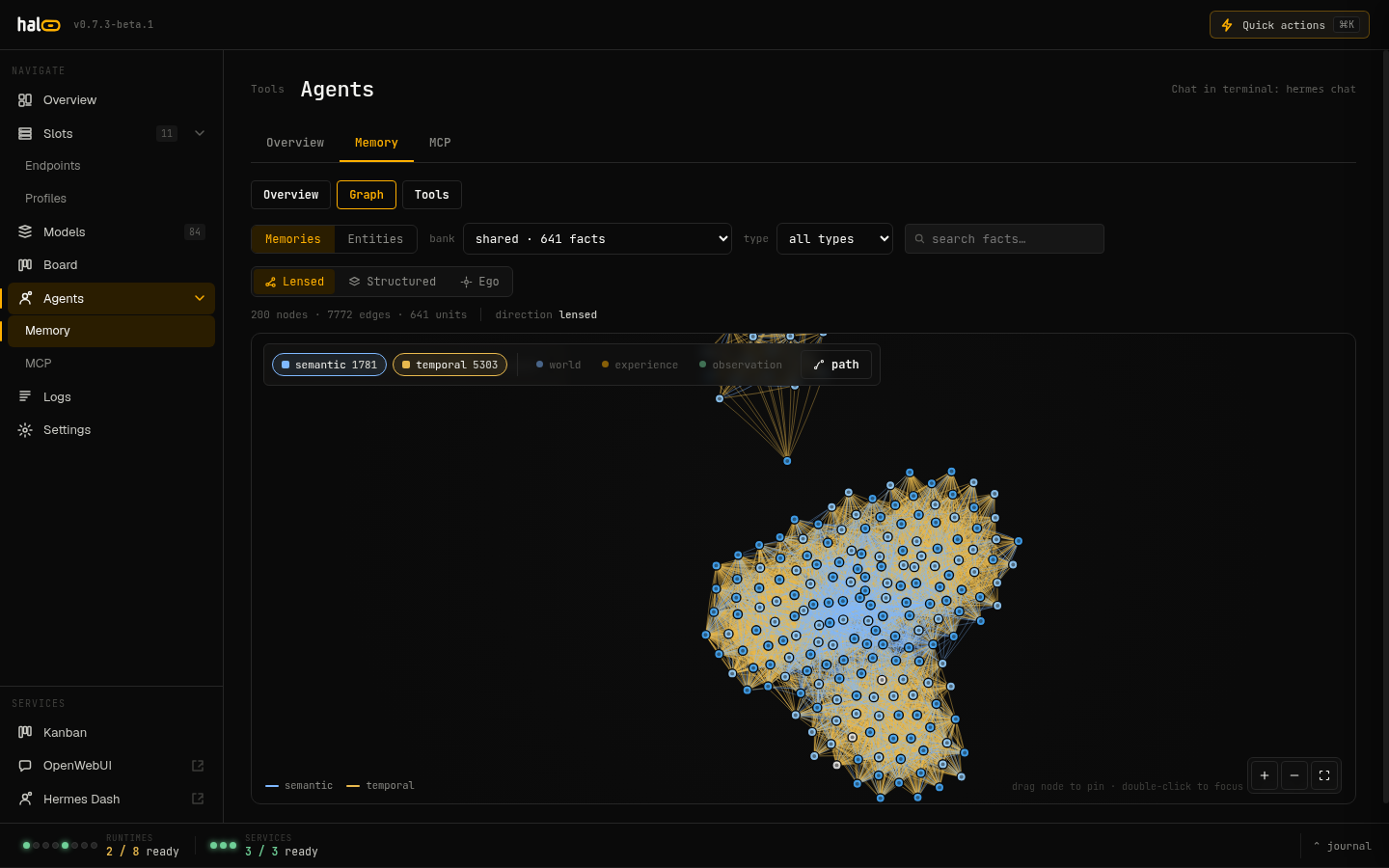
The dashboard Memory view and the /api/memory/* routes let you add,
search, browse the graph, and prune facts directly — across banks,
documents, mental models, and directives.
Namespaced writes
Callers identify themselves (via the X-hal0-Agent header), so private
writes land in the right per-agent namespace rather than a shared pool.
Destructive ops are audited
Bank deletes and every memories / config / document / directive /
operation / mental-model delete record a durable audit row — actor,
target, and outcome — so a wipe is attributable after the fact. Deleting
an entire bank additionally requires the caller to echo the bank id back
via ?confirm=<bank_id>.
 Memory view in the hal0 dashboard
 Fact relationships in the knowledge graph