Manage slots
A slot is one inference endpoint: a podman container, backed by the
hal0-slot@<name>.service systemd unit, serving a model on a loopback
port. The hal0 slot CLI is a thin client over the API — every command
hits the local daemon at http://localhost:8080, so the CLI and the
dashboard always agree.
List slots
Section titled “List slots”hal0 slot listShows every configured slot with its state, model, backend, port, and
kind. The slot state machine moves through offline → pulling → starting → warming → ready → serving → idle (and unloading / error). Add --json to get
the raw /api/slots payload for scripts:
hal0 slot list --json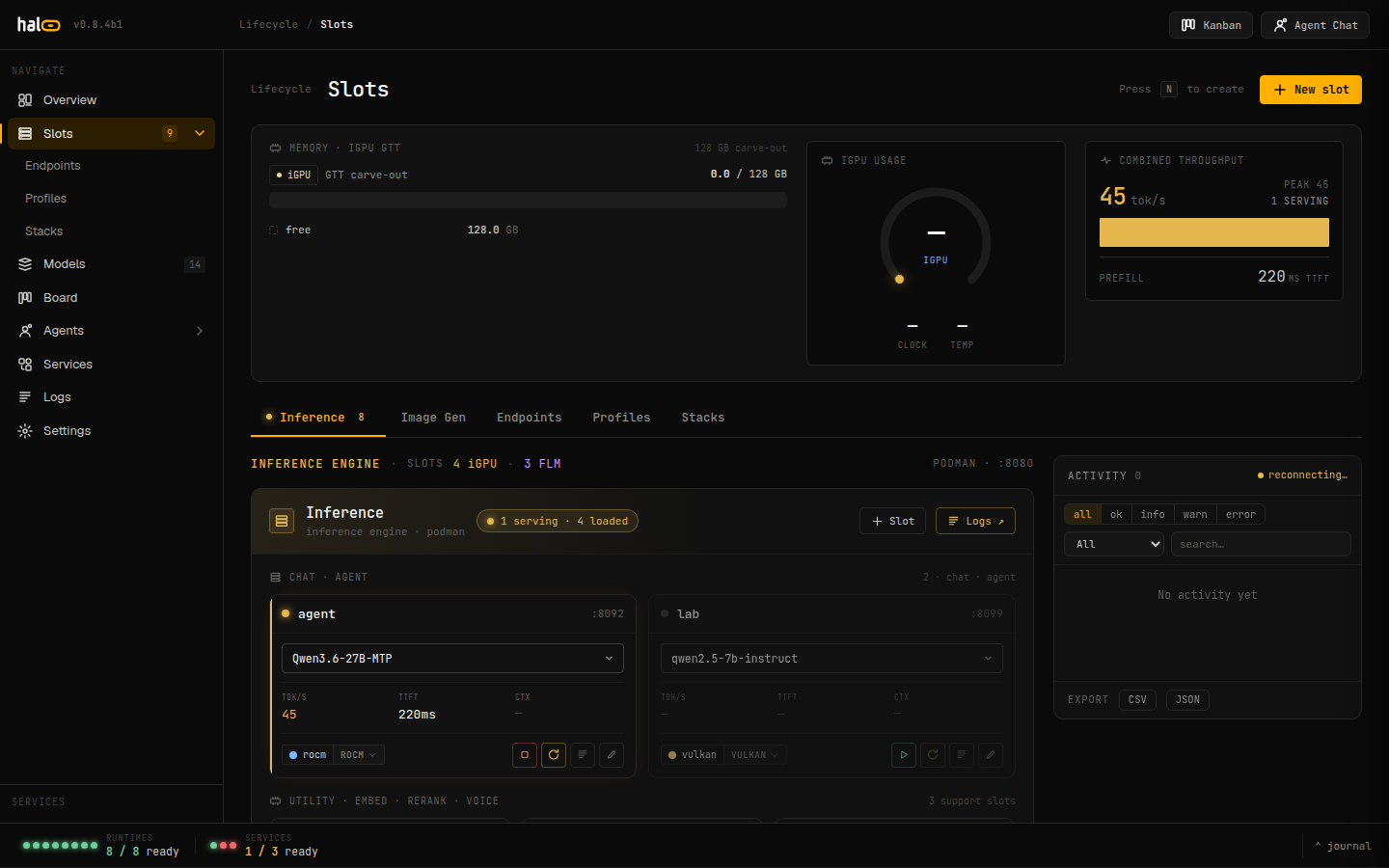 The slot list view shows live state, assigned model, device, and port for every configured slot.
Inspect one slot
Section titled “Inspect one slot”hal0 slot show agentPrints the full status and the on-disk TOML config as JSON. Use
--json for the unformatted {status, config} object.
For a quicker human-readable check (state, model, port), use hal0 slot status:
hal0 slot status agentstatus also prints a WARN config drift: ... line when the container’s
actual running launch flags no longer match what hal0 would render today
— see Config drift after an update below.
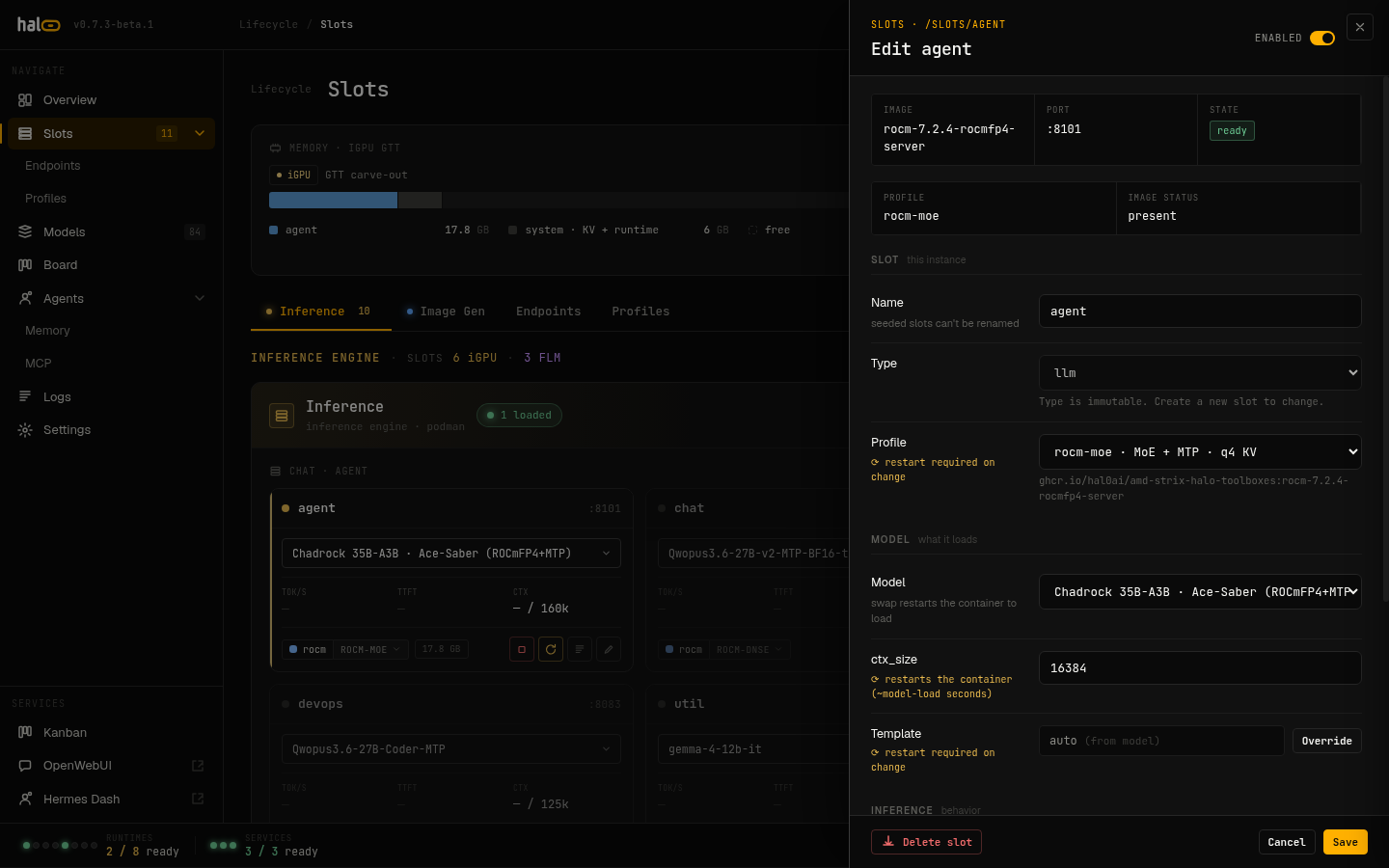 The slot detail panel combines live status with the persisted TOML config in a single view.
Create a slot
Section titled “Create a slot”hal0 slot create embed \ --type embedding \ --model nomic-embed-text-v1.5-q8_0 \ --hardware vulkan \ --ctx-size 8192-
name(positional) — the slot id, e.g.primary,embed,stt. -
--type/-t— how the dispatcher routes requests. One ofllm(default),embedding,reranking,transcription,tts,image. -
--model/-m(required) — the initial model ref to assign. -
--hardware— the compute backend:vulkan,rocm, orcpu. When omitted it reads the cached hardware probe (/etc/hal0/hardware.json):vulkanif no probe has run yet,cpuif the probe found no GPU. The slot’sdevicefield is derived from this:vulkan → gpu-vulkan,rocm → gpu-rocm,cpu → cpu. -
--port/-p— the slot’s port. Omit it and hal0 auto-assigns the next free port in the8081–8099range. -
--ctx-size— context window in tokens (default4096).
Creating a slot writes its config and systemd drop-in but does not
start it — follow with hal0 slot load.
Load, restart, unload
Section titled “Load, restart, unload”hal0 slot load primary# or assign a model at load time:hal0 slot load primary --model qwen3.6-27bLoads the slot’s container and waits for it to go healthy. A bad
--model is rejected against the registry up front, so you don’t wait
out the health timeout on a typo.
hal0 slot restart primaryUnloads then reloads — used after editing config that the running container baked in (ports, backend, ctx size).
hal0 slot unload primaryStops the container gracefully and returns the slot to offline.
Swap the model
Section titled “Swap the model”hal0 slot swap primary --model qwen3.5-9bA swap does two things by default:
- Hot-swap the running slot to the new model (
POST /api/slots/{name}/swap). - Persist the new default to the slot’s on-disk config so it survives a restart.
Pass --no-persist to try a model briefly without changing the default:
hal0 slot swap primary --model phi3-mini --no-persistIf the hot-swap succeeds but the persist step fails, the runtime swap is left in place and the failure is surfaced so you can retry.
A swap also runs two best-effort adjustments before the reload: it adopts
the new model’s preferred profile (model.defaults.profile) when it’s
compatible with the slot’s device/type — the slot’s hardware is never
flipped to fit a model — and it clears a forced mtp = true back to Auto
if the new model doesn’t actually ship MTP heads, so a stale forced-on
override can’t crash the next launch.
Edit slot config
Section titled “Edit slot config”hal0 slot edit primary --ctx-size 32768hal0 slot edit embed --hardware rocmPass any subset of --model, --port, --ctx-size, --provider,
--hardware. At least one is required. Changes that the container baked
in (port, backend) take effect on the next restart.
Dashboard edit drawers
Section titled “Dashboard edit drawers”The dashboard’s slot and model-recipe edit drawers expose fields the hal0 slot / hal0 model CLIs don’t have flags for.
MTP tri-state (Auto / On / Off)
Section titled “MTP tri-state (Auto / On / Off)”On any llm-type slot, the edit drawer’s MTP control is a three-way
segmented toggle — Auto, On, Off — that replaced the old binary
MTP pill. It’s always visible (not hidden when the current model looks
ineligible), so an operator can discover it, and it writes
PUT /api/slots/{name}/config {"mtp": null|true|false} (null = Auto) with
a non-blocking background restart.
A live hint under the control explains the effective decision:
- Auto · MTP active — the profile opts in and the model ships MTP heads.
- Auto · off — ⟨reason⟩ — one of “model has no MTP heads and profile doesn’t enable MTP”, “model has no MTP heads”, or “profile doesn’t enable MTP”.
- Forced on / Forced off — an explicit override, regardless of eligibility.
Forcing MTP on for a model that doesn’t advertise MTP support shows an
extra warning (“model doesn’t advertise MTP heads — launch fails unless it
truly has them”) — it’s an intentional escape hatch for MTP-capable models
the eligibility heuristics miss, not a guardrail against it. There’s no
--mtp CLI flag; set it from the drawer, a stack row (below), or by hand-
editing the slot TOML (mtp = true|false, or omit the key entirely for
Auto — TOML has no null, so “back to Auto” always means deleting the key,
never writing mtp = null).
Other drawer-only fields
Section titled “Other drawer-only fields”- Reasoning toggle (llm slots) — instant-apply
PUT /api/slots/{name}/config {enable_thinking}, no restart — applies to the next message. - Per-slot vision toggle — shown only when the bound model ships an
mmprojsidecar, defaults on (instant-apply; drops or reloads the ~0.9 GB vision projector and restarts the container in the background). - NPU modality toggles — on
device = npuslots,asrandembedtoggles write the slot’s[npu]table (instant-apply, background restart). - Model recipe editor —
capabilities,backends, themmprojpath, and thehf_repo/hf_filenamere-pull coordinates are all editable from the Models view, not just the registry API.
Editing multiple slots at once: Stacks
Section titled “Editing multiple slots at once: Stacks”The dashboard’s Stacks view (there’s no hal0 stack CLI command — it’s
dashboard/API only, GET/POST/PUT/DELETE /api/stacks[/{slug}]) lets you edit
several slots as one named, portable bundle instead of one at a time. A
stack row is effectively a slot-edit-drawer’s worth of fields — model,
device, profile, vision, MTP, enable_thinking, server.extra_args, plus
embed/rerank/stt/tts/vision capability children — captured per slot name.
- Row editor — Slot name (existing slot, or a new one created on
apply), Model, Device, Profile (filtered to the row’s device class;
incompatible profiles still show in a disabled “other device class”
group so a pre-existing cross-class binding is never trapped), and an
MTP tri-state row using the same Auto/On/Off control as the slot
drawer. New rows default
mtpto Auto. Unlike the slot drawer (where MTP is always shown), a stack row’s MTP control only appears when it’s relevant — the row’s model is MTP-eligible, its profile opts in, or an explicit override already exists. - Apply (
POST /api/stacks/{slug}/apply) — creates any slot named in the stack that doesn’t exist yet, then converges the live slot set: loads/swaps/skips each primary slot, applies each enabled capability child (embed/rerank/stt/tts/img/vision), and unloads every other dispatchable slot not mentioned in the stack — applying a stack is a declarative replace of what’s currently running, not a merge. - Drift — the active stack shows clean (disk matches what was applied), modified since apply (a slot was hand-edited afterward, or the active stack was deleted), or degraded (config matches, but convergence hit a per-slot runtime error) on its Hero card.
- Export / Import / Snapshot — export downloads a checksummed
{slug}.hal0stack.json; import dry-runs first (classifies every referenced modelpresent/pullable/unresolvable, and a local profile of the same name always wins over the imported one); Snapshot captures your current running slot/capability config into a new draft stack named “Snapshot”. - The three seed stacks (
saber,forge,pi) are immutable — clone one under a new name to customize it.
Config drift after an update
Section titled “Config drift after an update”A slot’s systemd unit bakes its launch flags in at load time — updating
hal0 changes the code that would render that unit, not the unit file
itself. As of v0.8.5b2, hal0 update (and install.sh) automatically
re-render every existing slot unit afterward (rewrite + one daemon-reload)
so the next start of any slot — manual restart, crash-restart, or reboot —
picks up the current flags. This never bounces an already-running
container, by design: a slot that was serving when the update landed
keeps running its old argv until its next load, swap, or restart.
hal0 slot status <name> is how you check whether a running slot is in
that stale window — it prints WARN config drift: ... when the container’s
live argv (read via podman inspect) no longer matches what hal0 would
render today, comparing --ctx-size, --model, --alias, -b/-ub. If
you see it, hal0 slot restart <name> (or a dashboard restart) clears it.
Delete a slot
Section titled “Delete a slot”hal0 slot delete scratchStops the unit and removes the config. You’ll be asked to confirm; pass
--force / -f to skip the prompt.
Idle eviction and memory pressure
Section titled “Idle eviction and memory pressure”Two independent timers can idle-evict a slot, freeing the host RAM
llama-server statically allocated at ctx_size (unloading is the only way
to reclaim it):
- Per-slot idle TTL —
idle_timeout_s(default300s,0disables). A slot idle past this is unloaded. Theagent,utility, andnpuanchors are pinned by default (exempt from TTL eviction) unless you set an explicitidle_timeout_son them yourself — an explicit0still pins. - Host memory pressure —
[slots].evict_pressure_mb(default8192MiB,0disables). When hostMemAvailabledrops below this floor, idle LRU-eligible slots are evicted oldest-first until free RAM recovers.
An idle-evicted slot isn’t gone: the dispatcher reloads it transparently on
its next request (wake-on-request), including embed / rerank / tts
slots — these previously 404’d until a manual hal0 slot load after an
idle eviction. The one exception is a slot disabled via a capability
toggle: hal0 writes enabled = false to the slot’s TOML, and a disabled
slot is excluded from wake-on-request, so it stays off until you re-enable
the capability — a disable now genuinely sticks instead of being silently
woken by the next matching request.
See Configuration schema reference for
idle_timeout_s and evict_pressure_mb.
Dashboard telemetry
Section titled “Dashboard telemetry”On the main dashboard, the Power & Thermal card (GPU clock MHz, temperature, power draw) and the Per-Slot Throughput card are on by default, and the Utilization card’s iGPU row carries a live clock/temp caption alongside its usage bar. All three render a “pending driver” note instead of a fake reading when a metric isn’t available on your host.
Stream logs
Section titled “Stream logs”# last 200 lineshal0 slot logs primary
# follow live (SSE tail)hal0 slot logs primary --follow
# more historyhal0 slot logs primary --lines 1000Logs come from the slot’s hal0-slot@<name>.service journal. On a host
without journalctl the command returns an empty result with a hint
rather than an error.
Related
Section titled “Related”- Pull and register models — get a model into the registry before assigning it.
- Choose models — recommended picks per slot and how fit is evaluated.
- Slot lifecycle reference — the full state machine and every legal transition between states.
- Stacks — the concept behind this page’s Stacks section: row fields, the plan/converge phases, and drift states.