Observe the system
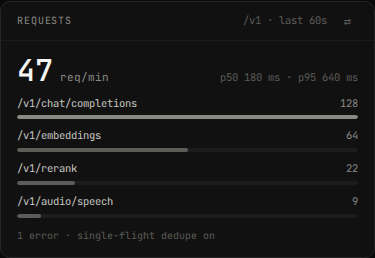
hal0 gives you three observation surfaces: journald per systemd unit, the API log tail (a thin wrapper over journald with filters), and the durable Activity / Audit log that survives restarts. The dashboard also rolls request traffic up live:
journald per unit
Section titled “journald per unit”Every hal0 process runs under a systemd unit, so journalctl is the
ground truth. The slots use a templated unit per slot name:
journalctl -u hal0-slot@<name>.service -fjournalctl -u hal0-api.service -fFor example, to follow the agent slot or the image-gen slot:
journalctl -u hal0-slot@agent.service -fjournalctl -u hal0-slot@img.service -fThe API log tail
Section titled “The API log tail”The API exposes journald over HTTP so the dashboard (and your scripts)
can read logs without shell access. Return the last n entries for a
unit:
curl 'http://localhost:8080/api/logs?unit=hal0-api&n=200'| Query param | Default | Notes |
|---|---|---|
unit | — | Required. The systemd unit, e.g. hal0-api or hal0-slot@agent. Validated against a conservative character set. |
n | 200 | Trailing lines, 1–5000. |
since | — | A journalctl --since value (ISO timestamp or '5min ago'). |
level | — | Filter to this priority and higher severity: warning returns warning and all higher-severity levels (error, critical, alert, emergency). |
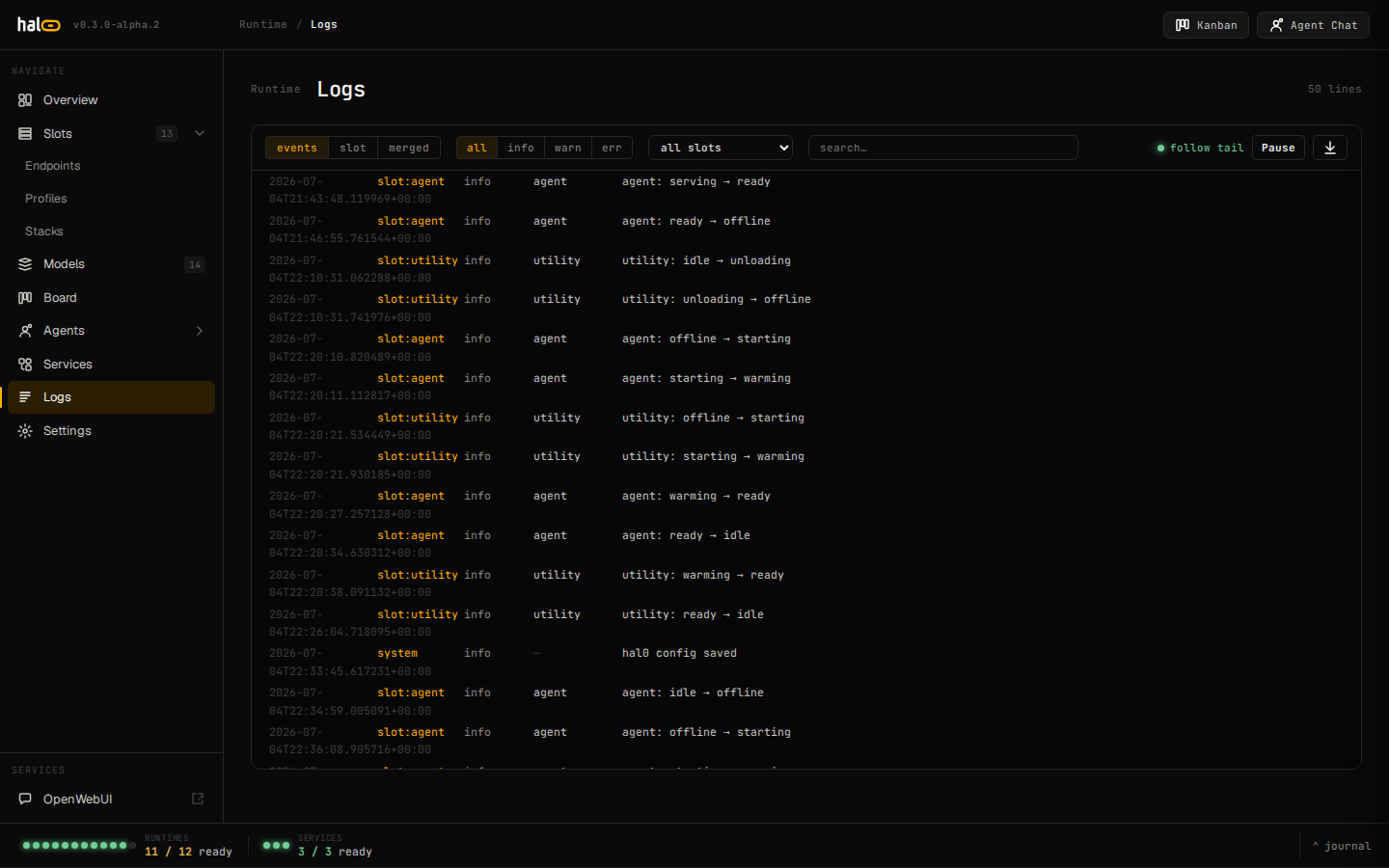 The dashboard Logs panel streams journal output for any hal0 unit in real time.
On a host without journalctl (e.g. CI), the endpoint returns an empty
lines array plus a hint rather than erroring.
Stream a live tail as Server-Sent Events:
curl -N 'http://localhost:8080/api/logs/stream?unit=hal0-slot@agent&level=warning'Each non-empty journal line arrives as a data: frame carrying the line
as a JSON string. The stream closes its subprocess when you disconnect.
The dashboard Logs page (unified logs/events)
Section titled “The dashboard Logs page (unified logs/events)”The dashboard’s Logs page reads from two different backends behind one
channel selector — events / slot / merged:
-
events— the structuredGET /api/journalfeed (hal0’s internal EventBus: slot state transitions, config changes, and the like). Every entry now carries its realsource(slot:<name>,system,model:<id>, …) instead of everything collapsing to the literal"hal0", plus a parsedslotfield so per-slot filtering doesn’t require re-parsingsourceclient-side.GET /api/journal(and its/api/journal/streamSSE counterpart, which replays the last ~50 matching entries before tailing live) accept the same server-side filters:source(exact match, or passsource=slotto match everyslot:*source),slot,level(info/warn/error, exact match — unlike the “and higher severity” semantics of the/api/logslevelfilter above),q(substring match on the message),since(an id cursor, paged the same way as the Activity log below), andlimit(1–500, default 200):Terminal window curl 'http://localhost:8080/api/journal?source=slot&slot=agent&level=warn' -
slot— the raw per-slot journald tail, i.e.GET /api/slots/{name}/logsand/api/slots/{name}/logs/stream(the same datahal0 slot logsreads — see Manage slots), picked from a slot dropdown. This channel now backfills on open instead of only showing output from the moment you opened it, so the one-shot model-loading lines a slot emits at container start are visible again. Aquietfilter (on by default; both endpoints acceptquiet=false) dropsupdate_slots: all slots are idleheartbeat spam that would otherwise push real log lines out of view. -
merged— both channels together.
The durable Activity and Audit log
Section titled “The durable Activity and Audit log”journald is a volatile tail. For a permanent record of what changed,
hal0 keeps a SQLite audit store (/var/lib/hal0/activity.db, preserved
across updates). It records every config-mutating user action and every
system state change — each with a before/after snapshot and a
success/failure outcome. It’s read-only over the API (it must render on
the slots page during first run).
List recent activity:
curl 'http://localhost:8080/api/activity?limit=200'The response is {"records": [...], "next_since": <id>, "epoch": "..."}.
Poll with ?since=<next_since> to page forward. Server-side filters
(combine freely):
| Filter | Values |
|---|---|
since | id cursor — return records newer than this id. |
category | free-form category string. |
action | free-form action name. |
severity | info, warn, error, ok. |
outcome | ok, error, pending. |
actor | the agent / actor that performed the action. |
kind | action (a user action) or event (a system state change). |
search | full-text match. |
limit | 1–1000 (default 200). |
Stream the durable backfill then a live tail (filters honoured server-side):
curl -N 'http://localhost:8080/api/activity/stream?kind=action'Export the filtered history as a file download:
curl 'http://localhost:8080/api/activity/export?fmt=csv' -o hal0-activity.csvcurl 'http://localhost:8080/api/activity/export?fmt=json' -o hal0-activity.jsonSee also
Section titled “See also”- Manage slots — the slot lifecycle whose transitions show up in the activity log.
- Edit configuration — config changes are audited.
- Security — the LAN-open posture and what is (and isn’t) logged.